
 By Bapi Mondal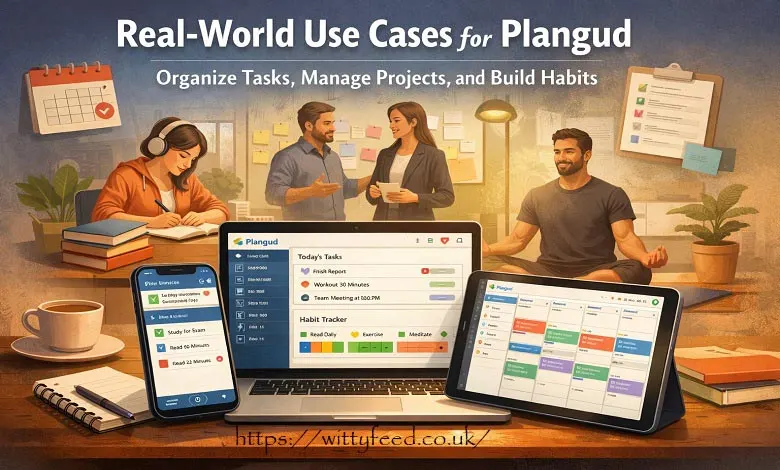
Productivity tools are everywhere. New apps promise better focus, faster results, and perfectly organized lives. Yet, many people still feel overwhelmed, juggling to-do lists, reminders, and half-finished plans. That’s where Plangud quietly enters the conversation—not as another loud productivity app, but as a calmer, more thoughtful planning system.
Plangud is not about doing more just for the sake of it. It’s about doing what matters, consistently, without burning out. Instead of forcing users into rigid systems, it adapts to real life, where plans shift, energy fluctuates, and motivation comes and goes. And honestly, that’s what makes it feel different.
Let’s take a deeper look at the Plangud planning system—how it works, what makes it unique, and how real people can use it in everyday life.
At its core, Plangud is a planning system that blends task management, habit building, and goal tracking into one connected experience. Rather than treating tasks and habits as separate things, Plangud connects them. What you do today feeds into who you want to become tomorrow.
Think of it less like a checklist and more like a personal operating system. You plan your days, track routines, and move toward long-term goals—all without jumping between multiple apps.
Plangud is built for individuals and teams alike. Whether you’re managing your personal life, running projects at work, or trying to build better habits, the system stays flexible and surprisingly lightweight.
Most productivity apps focus on outputs: tasks completed, boxes checked, deadlines met. Plangud shifts the focus slightly. It cares about process, consistency, and intentional action.
The idea is simple but powerful. Small actions, done regularly, create meaningful change. Instead of overwhelming users with complex dashboards, Plangud encourages clarity. You see what matters today, without being distracted by everything else.
This approach reduces decision fatigue. You’re not constantly asking, “What should I do next?” The system helps answer that question gently, without pressure.
One of Plangud’s most talked-about features is the Do-Date vs Due-Date system. At first, it sounds small. In practice, it changes how planning feels.
A Do-Date is when you plan to work on a task. A Due-Date is the final deadline. Many apps only show due dates, which can make everything feel urgent all the time.
Plangud separates the two. Your daily view only shows tasks with today’s Do-Date. Deadlines still exist, but they don’t dominate your attention. This keeps your task list clean and focused. It’s like cleaning your desk before starting work. Suddenly, there’s space to think.
In many tools, tasks and habits live in separate worlds. You complete tasks here, track habits there, and try to mentally connect the dots. Plangud removes that separation.
A single task can contribute to a habit. For example, finishing a 30-minute workout task can feed into your fitness habit streak. Writing 500 words contributes to a daily writing habit.
This makes progress visible in a deeper way. You’re not just completing tasks. You’re reinforcing patterns. Over time, those patterns become part of your identity.
Plangud’s interface is intentionally calm. No flashing widgets. No overwhelming graphs on day one. Just enough structure to get started.
New users can create tasks within minutes. As they grow comfortable, deeper features reveal themselves naturally. It’s like moving into a house with empty rooms—you fill them only when you need to.
This design choice makes Plangud accessible to beginners while still offering depth for experienced planners.
Plangud combines smart scheduling, habit-task integration, visual planning, collaboration, and gentle analytics to simplify daily productivity.
Plangud helps you schedule tasks based on priority, deadlines, and availability. But it doesn’t feel bossy.
If a day looks overloaded, the system gently suggests adjustments. You can drag tasks to another day, reschedule with a click, or pause without guilt.
This flexibility matters. Life isn’t predictable, and Plangud respects that.
Planning visually can change how you think. Plangud allows tasks to be moved across days or boards with simple drag-and-drop actions.
You can see your week take shape. If something feels off, you adjust it. There’s no penalty for rearranging plans. In fact, it’s encouraged.
This visual freedom makes planning feel more like designing than managing.
For teams, Plangud offers shared boards and workspaces. Tasks can be assigned, commented on, and tracked together.
Unlike heavier project management tools, collaboration in Plangud feels natural. Everyone sees what’s happening without drowning in notifications. It works well for small teams, creative projects, startups, or even shared household planning.
Plangud integrates with popular calendars like Google Calendar and Outlook. Events and tasks live on the same timeline.
This reduces context switching. You don’t have to remember where things are. Everything important shows up where you expect it.
Integrations with file tools and communication apps add another layer of convenience.
It works across devices—desktop, mobile, tablet, and web. Your data syncs in real time.
Plan on your laptop in the morning. Check tasks on your phone in the afternoon. Make changes at night without losing context. It’s seamless, which is how it should be.
Notifications in Plangud are subtle. They remind you, not nag you. Progress analytics show patterns over time—habit consistency, task completion trends, and time allocation. These insights aren’t about judgment. They’re about awareness. You start noticing what works and what doesn’t, without feeling pressured.
Starting with it doesn’t require a big setup session. In fact, the best way is to start small.
Add tasks you already do. Daily planning, light exercise, reading, or work-related actions. These give the system something real to work with. Link tasks to habits if it makes sense. Don’t overthink it.
Plangud allows you to group tasks and habits under life areas like work, health, learning, or personal growth.
This gives your planning structure without rigidity. You see balance—or imbalance—at a glance. Goals act as anchors. Tasks become steps, not random obligations.
Plangud offers built-in templates for common workflows. Weekly planning, content creation, fitness routines, and more.
Templates reduce friction. Instead of starting from scratch, you reuse structures that already work. You can also create custom templates for repeated projects.
Plangud helps students, professionals, teams, and habit builders organize tasks, build consistency, manage projects, and align daily actions with long-term goals.
Students use Plangud to track assignments, study sessions, and exam prep. Subjects become life areas. Study blocks become habits.
Instead of cramming, students build consistency. Progress feels steady, not stressful.
For professionals, Plangud helps manage deadlines, meetings, and deep work sessions.
Recurring tasks, such as reporting or planning, become habits. Projects stay visible without overwhelming dashboards. It’s especially helpful for remote workers who need structure without micromanagement.
Small teams use shared boards to track deliverables and timelines. Everyone sees what’s moving and what’s stuck. Plangud supports collaboration without turning into a bureaucratic system.
If your focus is self-improvement, Plangud shines. Reading, exercise, meditation, and learning all become connected systems.
You’re not just tracking streaks. You’re seeing how daily actions support long-term growth.
Before Plangud, planning often feels fragmented. Notes in one app. Tasks in another. Habits tracked somewhere else.
After Plangud, everything lives in one place. There’s clarity. Fewer loose ends. Less mental clutter. Users often describe feeling calmer, not necessarily busier. And that’s an important distinction.
- Better focus on what matters today
- Stronger habit consistency
- Less context switching
- Clear connection between actions and goals
- Flexible planning that adapts to real life
Use Do-Dates realistically. Don’t overload your days.
Review your week regularly and adjust without guilt.
Group habits under life areas for balance.
Use visual planning when things feel messy.
Let the system support you, not control you.
Plangud vs Notion
Notion is powerful but often requires heavy customization. Plangud offers structure out of the box with less setup.
Plangud vs Todoist
Todoist excels at task lists. It goes deeper by integrating habits and goals.
Plangud vs ClickUp
ClickUp is feature-rich but can feel overwhelming. Plangud prioritizes clarity and intentional use.
The Future of Plangud
Plangud’s roadmap hints at smarter scheduling, AI-assisted planning, and deeper personalization.
The long-term vision seems clear: evolving from a planning tool into a life support system that helps users decide what truly matters next.
Plangud isn’t trying to be everything for everyone. And that’s exactly why it works.
It respects your time, your energy, and your humanity. Connecting tasks, habits, and goals into one thoughtful system makes progress feel natural instead of forced.
If you’re tired of juggling tools and want a calmer, more intentional way to plan your life, it is worth exploring. Sometimes, the best productivity system is the one that quietly supports you—without asking for too much in return.